Write fewer words than you think you need, give each phrase a clear landing point, and speak the lines over your instrumental before generating a vocal. That is a practical starting point for lyrics that can be sung rather than squeezed into a loop. Line breaks help communicate phrases, but they do not guarantee exact timing, pronunciation, or word-for-word output.
This guide is about writing the words before using Add Vocals. If you already have a good performance and need EQ, compression, or space, use the separate vocal mixing guide. Processing will not turn an overcrowded lyric into a naturally paced phrase.
Choose one idea and a short section
Give the hook one emotional job: anticipation, relief, defiance, or another feeling you can describe plainly. Choose a concrete image that carries it. A streetlight, a packed suitcase, or a quiet room gives a listener something to picture; a list of emotions often gives them less to remember.
Work against the actual audio window. A brief instrumental phrase has limited room for words, sustained notes, pickups, and breaths. Do not paste a full verse and chorus into a short loop and expect all of it to fit. Start with two or four short lines, then listen for how much space the performance uses.
Use line breaks as phrasing cues
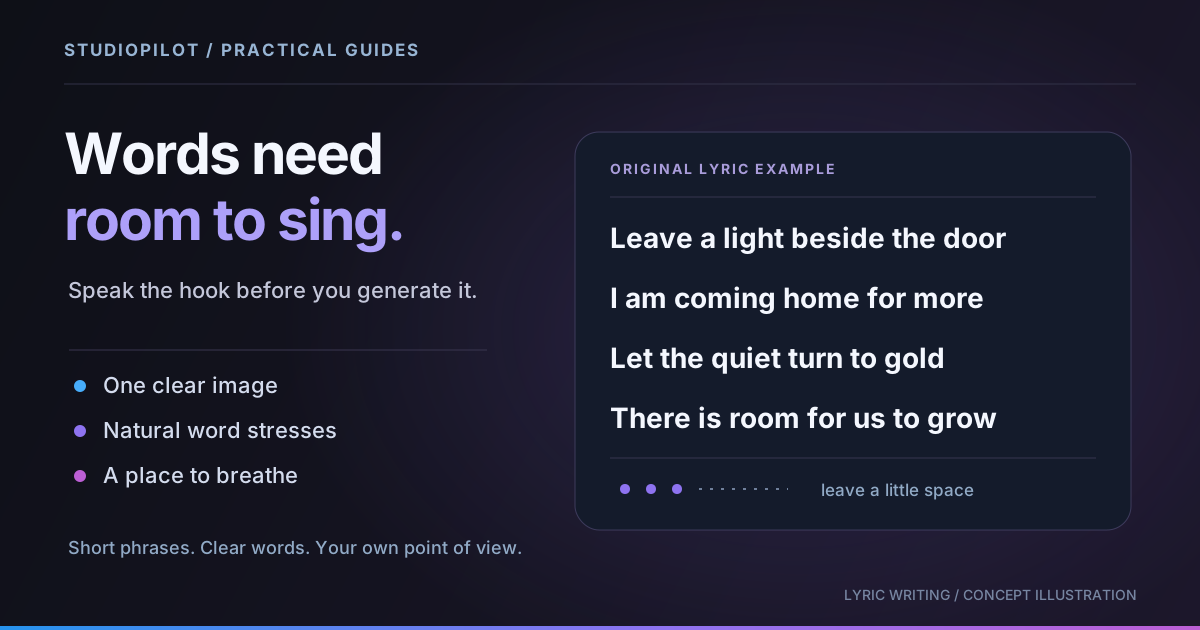
Here is an original four-line hook with one image and short phrases:
Leave a light beside the door
I am coming home for more
Let the quiet turn to gold
There is room for us to grow
Each line can be understood without reading the next one. That gives a singer several possible places to pause. The repeating vowel sounds create continuity without forcing every word to rhyme. These are example lyrics, not a demonstration of a particular generated performance.
Put actual line breaks between phrases when entering them. A paragraph of uninterrupted text gives you fewer visible cues while revising. A blank line can separate two groups for your own organization; it is not a promise that the model will insert a precisely measured instrumental break.
Check syllables, stress, and breath
Count syllables as a rough density check, not a rule that every line must match. “Leave a light beside the door” has seven syllables in an ordinary reading. That does not mean it needs seven equal notes. A performance might stretch “light,” put two syllables into a pickup, or hold the last word.
- Speak the line over the groove. If you must rush the sentence before adding melody, remove words or allow another phrase.
- Find the important stresses. In “leave a LIGHT beside the DOOR,” the image-bearing words deserve room. Awkwardly emphasizing “a” or “the” may change the meaning.
- Leave a breath. A written line is not automatically a breath-sized phrase. Say it in one comfortable breath before deciding where it ends.
- Listen to consonants. Several hard consonants together can make a fast line harder to articulate. Simplify the phrase if its meaning survives.
- Give held notes useful vowels. An open, clear final word often offers more singing room than a long technical expression. The desired melody still matters.
Revise a crowded line without losing the image
Compare these two original drafts:
I keep on looking at the headlights disappearing down the road
Your headlights fade
I stay awake
The second version is not universally better. It is easier to place in a short hook because it separates the image from the reaction and leaves possible gaps. The longer line might belong in a spacious verse. Choose the revision that fits the section instead of treating brevity as a contest.
For contrast, a second original hook uses a more conversational shape:
Put the phone down
Stay a little while
Nothing needs an answer
Let the morning find us
Those lines differ in length. Try speaking them over the same rhythmic reference and decide where the longer line should begin. Do not force a rhyme by replacing a natural word with something you would never say.
Keep lyrics and delivery directions separate
- Bring in the instrumental context. Load the relevant audio, or use the plugin's DAW recording workflow. Check the chosen section before asking for a vocal.
- Choose Vocal and enter the words in Lyrics. Keep production directions out of the sung text unless you actually want those words performed.
- Describe the delivery separately. For example: “An intimate lead vocal, restrained delivery, clear consonants, with space between the short phrases.” That is a direction, not a guaranteed vocal setting.
- Check the operation. Use Add for a new part. Cover replaces a selected part; do not choose it accidentally when you mean to add another layer.
- Audition A and B. Follow along with your lyric draft while listening. Check the final line as carefully as the first.
The current Vocal documentation explains the controls. Lyrics are not a sample-accurate score, and a delivery description is not an exact melody editor.
Choose the next revision by what you hear
If the words are rushed, shorten one line while keeping the delivery direction stable. If the diction is unclear, try a simpler phrase or an unambiguous spelling. If the voice dominates the arrangement, evaluate the take at a sensible level before rewriting the lyric. Change one thing so you can understand the difference.
A take may repeat a word, omit a line, or pronounce something unexpectedly. Check the entire result; do not assume that pasted lyrics certify what was sung. Keep a promising performance for DAW editing when appropriate, or try a revised generation when an important word is wrong. Use your own lyrics or material you have permission to use.
Leave room for the rest of the track
A hook can become stronger when it stops. Listen to the gaps as arrangement space for a drum fill, a chord response, or simply silence. The instrument prompt guide includes examples of parts that answer a vocal rather than compete with it.
Check current plans and generation costs, then make the next request with a specific question in mind: clearer words, a shorter phrase, or a different delivery. The goal is a lyric that serves the song, not the largest number of words you can fit into a clip.
Make your next part with StudioPilot
Generate instrument loops and vocals in the browser or your DAW. Compare takes and export the audio. Try the guided tutorial, then choose a plan for your own sessions.
Start for $1