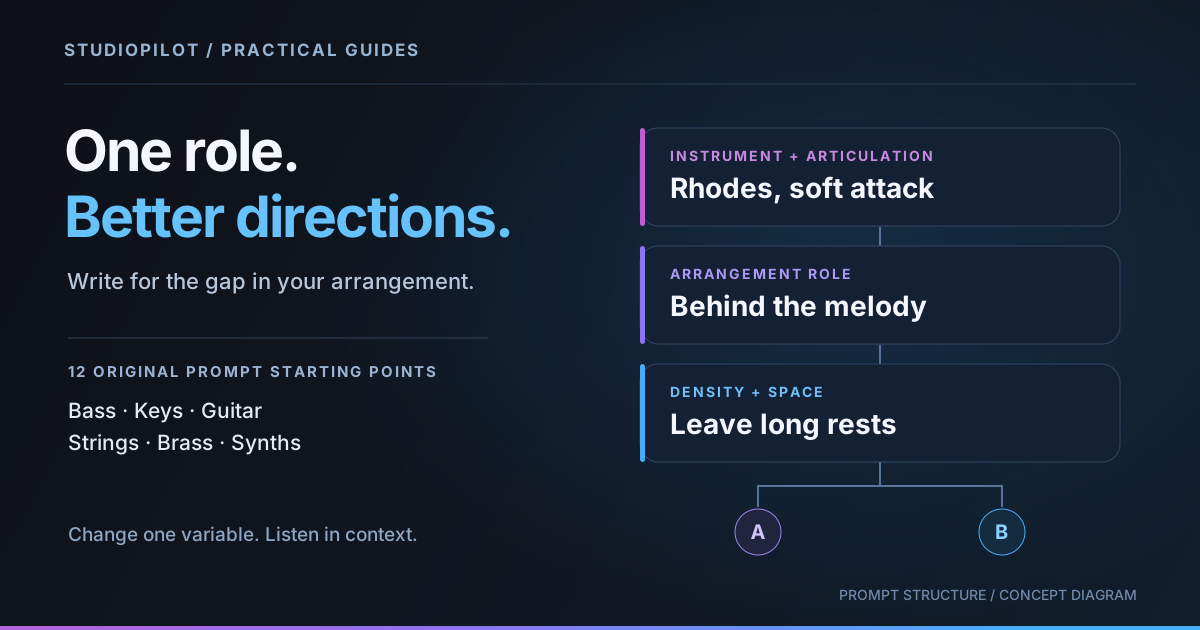
A useful AI instrument prompt describes a job in the arrangement: what plays, where it sits, and how much space it leaves. Start with one clear role, audition the result against your existing audio, then revise one variable. Use the twelve original prompts below as starting points and adapt them to the audio you load.
In StudioPilot, Add Instrument generates a new part using your audio context. A prompt can steer that part; it cannot guarantee specific notes, perfect isolation, or a finished mix. Decide what would improve your track before asking for another layer.
Build a prompt around one role
Use this order: instrument and articulation + musical role + register and density + relationship to the existing track. “Warm guitar” names a sound. “Muted electric guitar, short offbeat chord answers between the vocal phrases” also describes a reason for that sound to exist.
Choose context that represents the section you want to improve. If the chorus has a bassline already, generating another bass part may create a conflict rather than fill a gap. A section with a clear pulse and harmony gives you a better reference for judging the result. If the timing is uncertain, check it before prompting; see the loop timing and seam guide.
Twelve prompts for different arrangement jobs
Keep the loaded context and session tempo appropriate to your project. Change the musical directions below to suit the track; do not copy every example into one request.
1. A foundation under busy drums
Fingered electric bass, low root-note foundation under these drums. Short notes around the kick, a simple repeating rhythm, and a small turnaround at the end of the phrase.
Use this when the low end needs a stable anchor. Judge the kick relationship before the cleverness of the fill.
2. Movement under held chords
Rounded synth bass beneath the sustained chords. A restrained offbeat pulse in the low register, with occasional passing notes and enough gaps for the lead vocal.
The job is motion, rather than a second lead. Listen for notes that crowd the singer.
3. A quiet harmonic bed
Soft Rhodes chord bed behind the melody. Mid-register voicings, gentle attacks, and long rests between changes. Follow the existing harmony without adding a busy top line.
This asks for support. If the result dominates, revise density before requesting a different instrument.
4. A piano response to the hook
Bright acoustic piano answering the hook. Short upper-mid chord phrases in the gaps, light rhythmic accents, and a simple ending that leads back into the first bar.
Check whether the answers actually land in useful gaps; “in the gaps” is a direction, not an editing lock.
5. Detail under a vocal
Clean picked electric guitar under the vocal. A sparse mid-register arpeggio, soft pick attack, and a repeating shape that leaves the ends of the sung lines open.
Keep the version that supports the words, even if the other take sounds more impressive alone.
6. A rhythmic guitar layer
Muted funk guitar as a light percussion-like layer. Short upper-mid chord scratches, occasional sixteenth-note pickups, and clear rests rather than continuous strumming.
If the drums are already dense, the rests matter more than adding extra syncopation.
7. Lift without extra rhythmic clutter
Warm sustained strings supporting this bridge. Slow chord changes, a gradual dynamic lift, and a middle register that stays behind the main melody.
A swell can still mask a vocal. Compare the result at a sensible level inside the arrangement.
8. A short string answer
Pizzicato strings answering the drum groove. A small repeating mid-high motif, short attacks, and space after each phrase so the lead remains the focus.
This is an alternative job to the sustained bed, not another instruction for the same take.
9. A restrained brass hook
Muted trumpet with a relaxed mid-register hook. Two short answering phrases over the existing chords, separated by rests, with an unhurried ending.
Listen for a memorable phrase that works repeatedly, rather than only a convincing trumpet tone.
10. Brass accents for a transition
Low-mid brass section adding brief transition accents. Tight chord stabs at phrase boundaries, a firm attack, and very little activity between the accents.
Check the arrangement boundary by ear. Move an almost-right accent in your DAW if that serves the track.
11. A lead over a simple foundation
Clear high-register synth lead above the bass and chords. A compact four-note motif, a gentle variation on its repeat, and a pause before the phrase starts again.
The note count communicates simplicity; the model may interpret it loosely.
12. Atmosphere around an existing lead
Airy synth pad surrounding the lead. Slow high-register chord movement, soft attacks, and a thin spacious texture that leaves the bass and main melody exposed.
Audition the texture quietly. Its absence may reveal its value more clearly than solo playback.
Audition A/B, then change one variable
- Add rather than replace. Choose Instrument and check that the action is Add. Cover is a different operation, intended to replace a selected part.
- Hear both takes in context. Compare A and B against the same section, with roughly comparable listening levels. Note one specific problem: crowded rhythm, wrong register, or an awkward ending.
- Keep what works in the prompt. If the tone works but the rhythm is crowded, change “occasional sixteenth-note pickups” to “one short accent per bar.” Do not simultaneously change tone, register, style, and role.
- Keep a small revision record. Save the prompt and a sentence about each useful take outside the app if needed. Reusing a prompt does not guarantee the same output.
Finish the recording, not the prompt
Download or drag the chosen audio into your DAW for timing edits, fades, level changes, and arrangement decisions. Those are DAW operations, not hidden prompt commands. See the Ableton workflow guide for an example of the handoff.
When the missing part is a voice, use the separate lyric-writing guide. Check current credit costs and plans before experimenting. A focused request and a clear listening decision are more useful than generating variations without knowing what you want to change.
Make your next part with StudioPilot
Generate instrument loops and vocals in the browser or your DAW. Compare takes and export the audio. Try the guided tutorial, then choose a plan for your own sessions.
Start for $1